Right Pixels, Right Place
srcset and sizes
Section titled “srcset and sizes”Once your images are safely contained, it’s time to train the browser to choose the right pixels for each situation — not too big, not too small, and never wasting bandwidth.
This lesson introduces srcset and sizes: the dynamic duo that lets the browser
pick the most efficient image for any viewport width.
🎯 The goal
Section titled “🎯 The goal”You want:
- small images on small screens
- big images on wide screens
- crisp images on retina displays
- zero wasted downloads
And you want the browser to handle this automatically.
That’s where srcset and sizes step in.
🧩 The Problem: One Image Doesn’t Fit All
Section titled “🧩 The Problem: One Image Doesn’t Fit All”If you load a single 2048px hero image everywhere, then:
- mobile users download way more than they need
- desktop users might see a blurry image
- everyone wastes data
And the browser has no idea what size the image will actually render at.
🛠 The Fix: srcset + sizes
Section titled “🛠 The Fix: srcset + sizes”Here’s the pattern:
<img src="./images/unicorn-small.jpg" srcset=" ./images/unicorn-small.jpg 600w, ./images/unicorn-medium.jpg 1200w, ./images/unicorn-large.jpg 2000w " sizes="(max-width: 600px) 100vw, (max-width: 1200px) 70vw, 50vw" alt="A cyberpunk steampunk unicorn in a fantasy landscape"/>How it works
Section titled “How it works”srcsetlists the available image widthssizestells the browser how big the image will be on the page- The browser picks the smallest file that still looks sharp at that rendered size
Boom: perfect pixel delivery.
👀 See it in action
Section titled “👀 See it in action”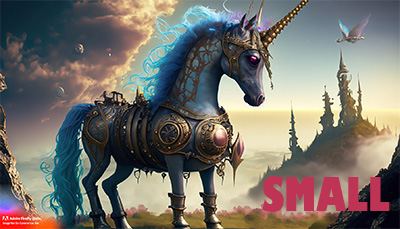
💡 Open DevTools → Network → Img → throttle to “Fast 3G,” resize your window, and watch the browser download different images for different breakpoints.
📐 Understanding sizes
Section titled “📐 Understanding sizes”This line:
sizes="(max-width: 600px) 100vw, (max-width: 1200px) 70vw, 50vw"translates to:
- If the viewport is 600px or smaller → image will render full width
- If the viewport is 1200px or smaller → image will render at 70% of the viewport
- Otherwise → 50%
The browser uses these rules before downloading anything, ensuring it picks exactly the image it needs.
🧠 When to use srcset + sizes
Section titled “🧠 When to use srcset + sizes”Use this pattern when:
- The same photo should scale across breakpoints
- You want fewer bytes on mobile and crispness on desktop
- The image appears inline, not as a background
- You don’t need totally different artwork (that’s what
<picture>is for)
🎉 Next Up
Section titled “🎉 Next Up”Now that your images load the right pixels at the right time, it’s time for a little art direction magic:
Picture Rolling Action!